Home » Odeon Omni downloads
To be used with the ODEON Sweep measuring system.
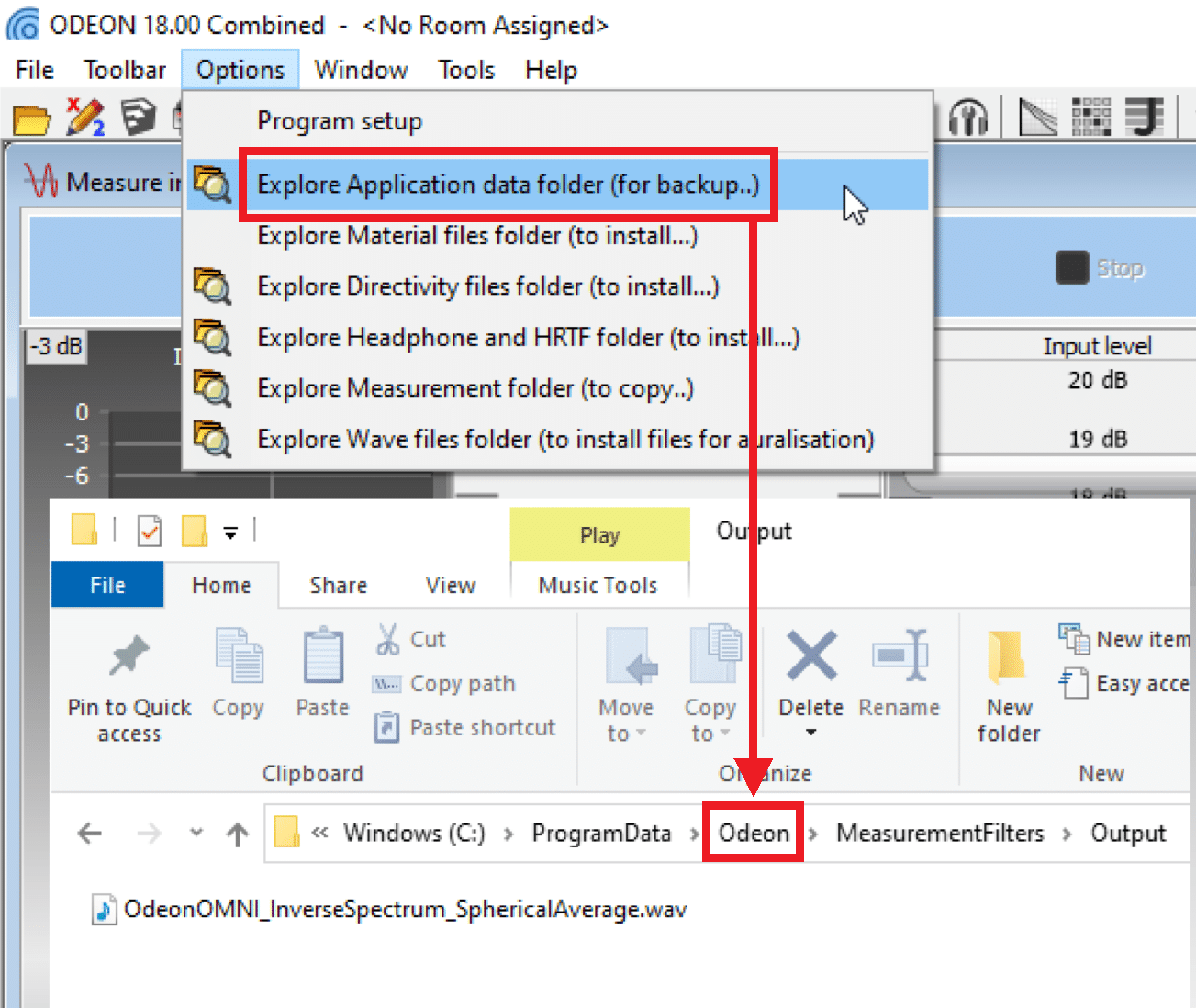
Download the file and paste it in the following folder:
ProgramData > Odeon > MeasurementFilters > Output.
You can access the ODEON’s program (application) data folder easily from within ODEON, as shown in the first screenshot below. You then navigate to MeasurementFilters > Output.
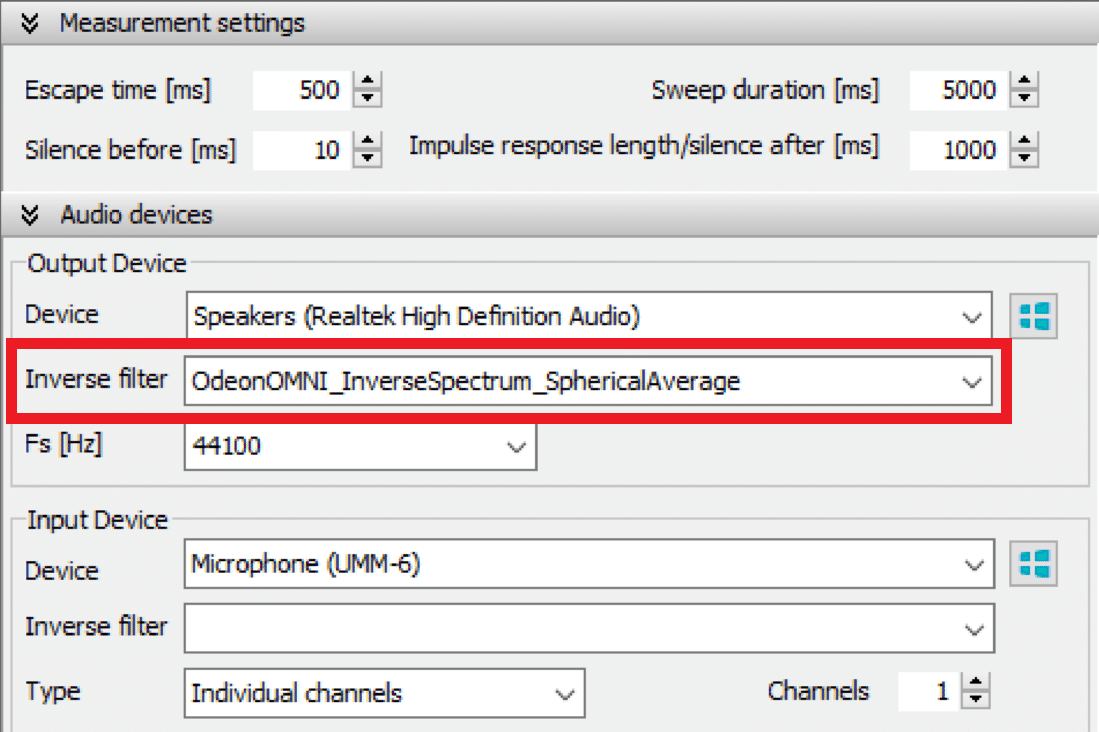
The file will become available to select from the Output Device -> Inverse filter drop down.
A calibration procedure is required specifically for measuring Sound strength (G) and Speech Transmission Index (STI).
The full procedure is described in this Application note and it requires two steps:
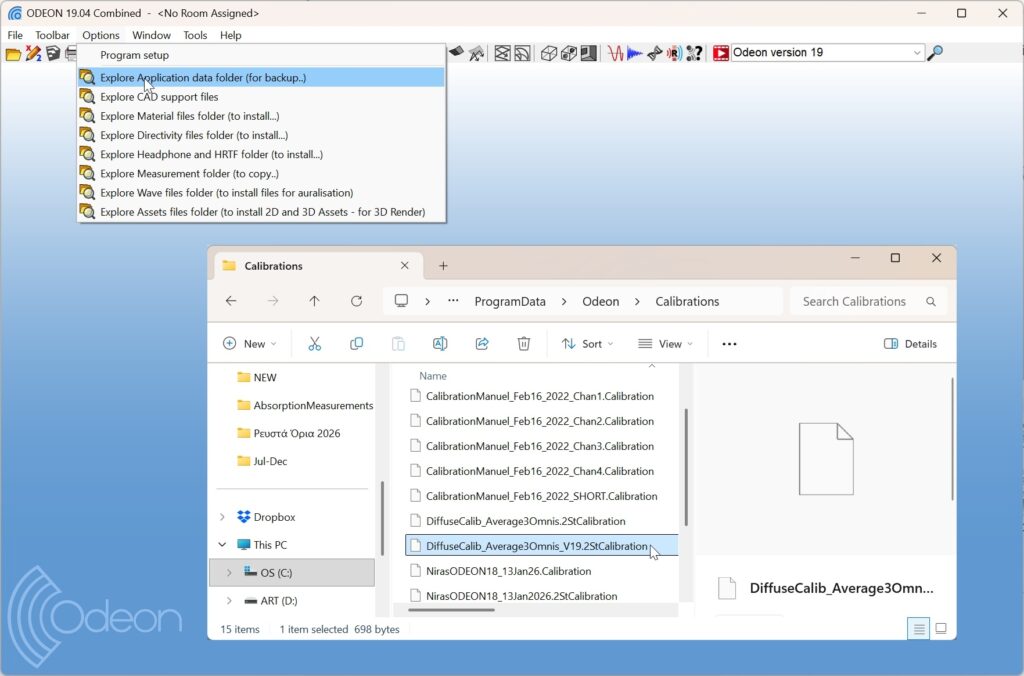
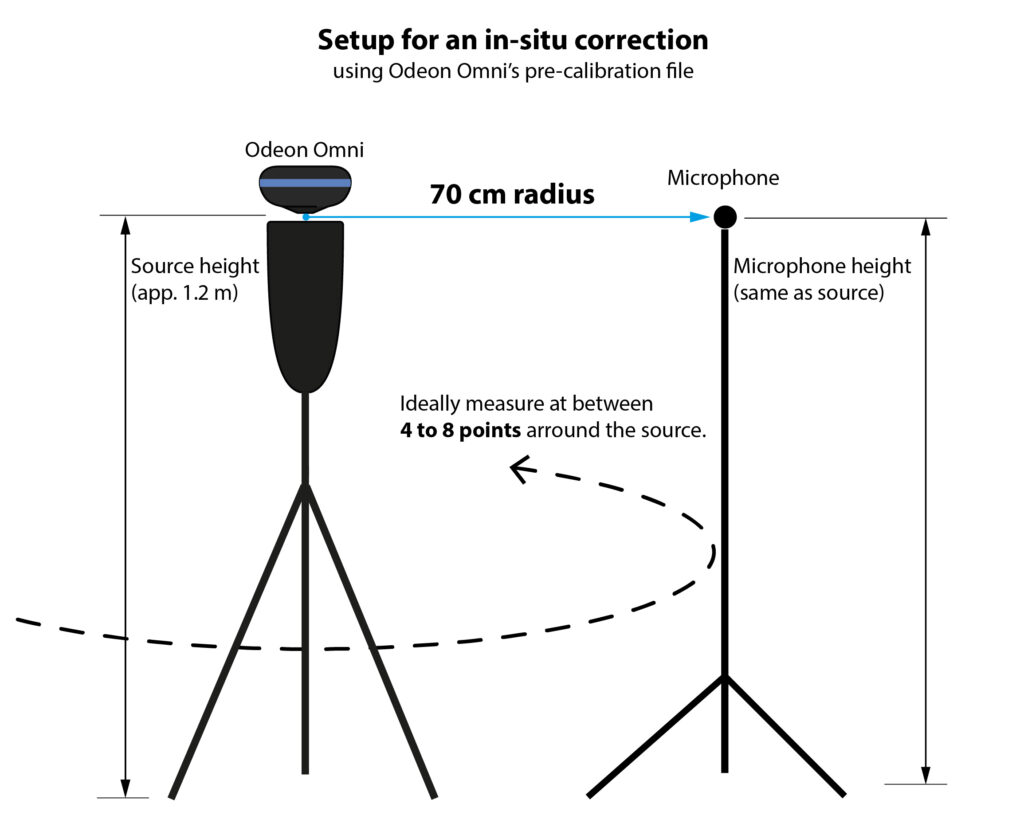
This tedious procedure can be greatly simplified by using Odeon Omni in combination with our pre-calibration file, which encompasses already the information of a Reverberation Chamber. The pre-calibration file is normally part of the default ODEON installation, and can be found in the Program data>Odeon>Calibrations folder as in the screenshot below.
You can also download the file manually (depending on the version of ODEON you use), unzip and copy-paste it in the folder above:
Find detailed instructions about the process in the following links:
Odeon Omni can be used with any software, like a normal loudspeaker. However, it is designed to perform best with sweep signals generated and processed in ODEON, using its deconvolution method (read more in Chapter 12 in the manual).
If you do not own ODEON, you can perform impulse response measurements by recording a sweep signal in the space and implementing your own deconvolution with the inverse sweep.
For this, you can use the following high-quality, optimized sweep files to playback through Odeon Omni. Each sweep speed varies with frequency, according to the source’s spectrum. This will favour a more even SNR across octave bands in your results. The changing speed is compensated for during the deconvolution of the signal. Read more about the sweep optimization method here.
Feel free to contact us for any question you may have! We will do our best to answer as soon as possible!
We can even set up a Skype demonstration before a potential purchase.
Would you like to receive important news regarding updates, courses etc. 3 – 4 times a year? Sign-up below!
Feel free to contact us for any question you may have! We will do our best to answer as soon as possible!
We can even set up a Skype demonstration before a potential purchase.
Please enter your e-mail address below and a download link will be sent to you.
Please notice that you are contacting Odeon Room Acoustic Software company, which is not related to any other businesses that use the same name (Odeon cinemas, Odeon in Odense etc.).
Unfortunately we receive a lot of false inquiries lately. These will be deleted immediately in our account. Thank you for your understanding.
Please enter your e-mail address below and a download link will be sent to you.
Please share your location to continue.
Check our help guide for more info.
