What’s New

The most recent version 19 has been released in November 2025. For the history of development of the ODEON software and major features in previous editions, click here.

ODEON 19 Features

The new version of ODEON is packed with attractive features and enhancements, shown below. The headings specify what editions of ODEON: (B) Basics, (I) Industrial, (A) Auditorium and (C) Combined, the feature is available in. If not specified, then it is available for all editions.

Note: The ODEON software is only forward compatible. This means that you may load a room that has been created in ODEON 19 (or earlier versions down to ODEON 3.0) into ODEON 19. The opposite is not always the case. Once a room has been loaded into ODEON 19, there might be issues loading it into earlier versions. ODEON 19 will issue a warning before loading a room created in an earlier version – allowing you to make a backup copy for use in an older version of ODEON.

Improved 3D Render  

A 3D Render view of the room now shows by default in the material list. It can either show layer colors, or material colors. When showing material colors, if you change materials on surfaces, you will be able to see the updated material directly on the model.

In the inner view, you can shift-click on surfaces to reveal the surface number. In the outer view, when you shift-click on the model, ODEON will show you all the surfaces that the click goes through. You can always toggle back to the wireframe 3D View.
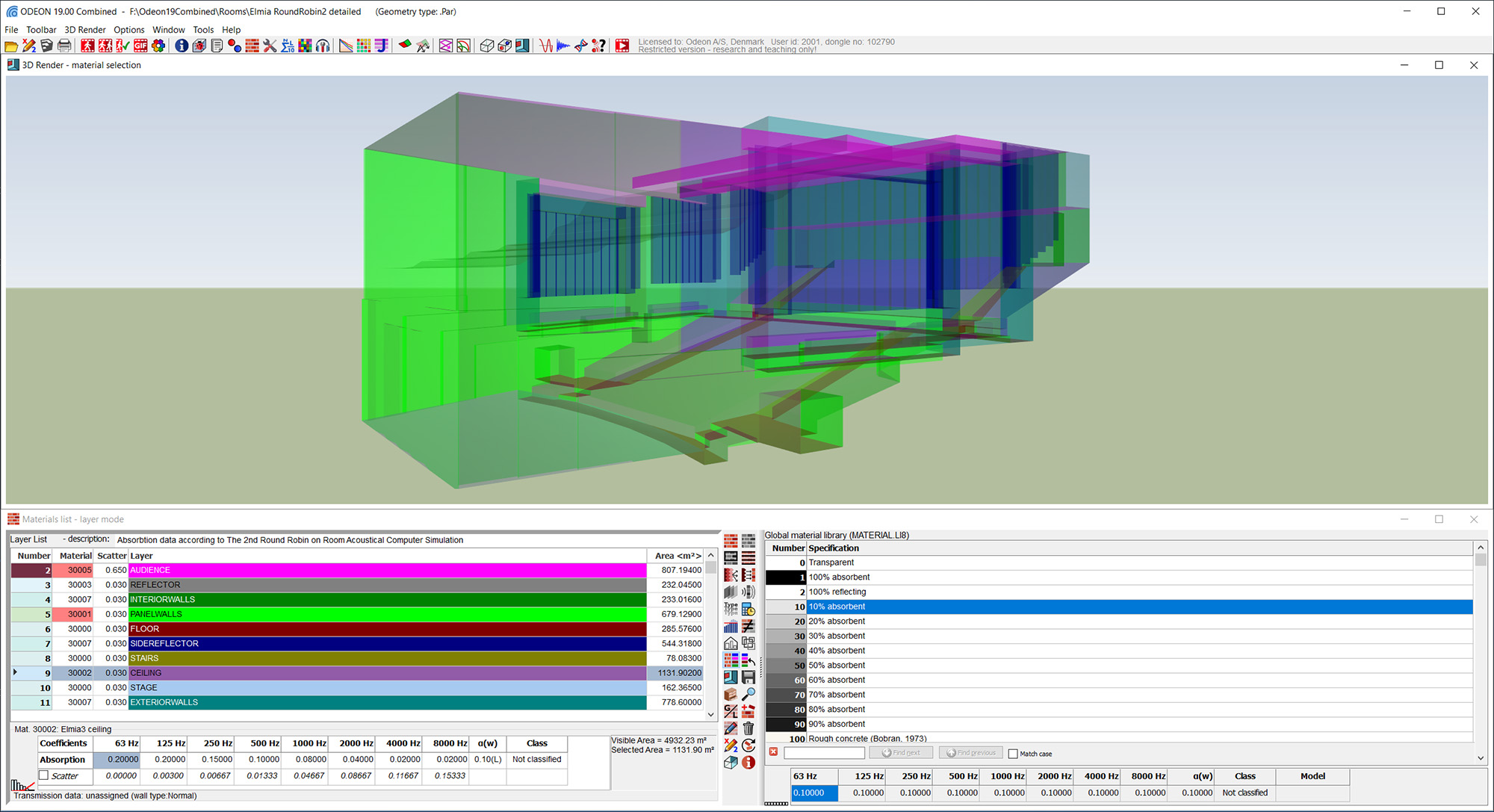
3DRenderODEON19

Also, now you can change layer colors from within the standalone 3D Render. These modified layer colors will be reflected in the material list. You can use this to set colors that more closely resemble the colors of the real room.

Visual assets  

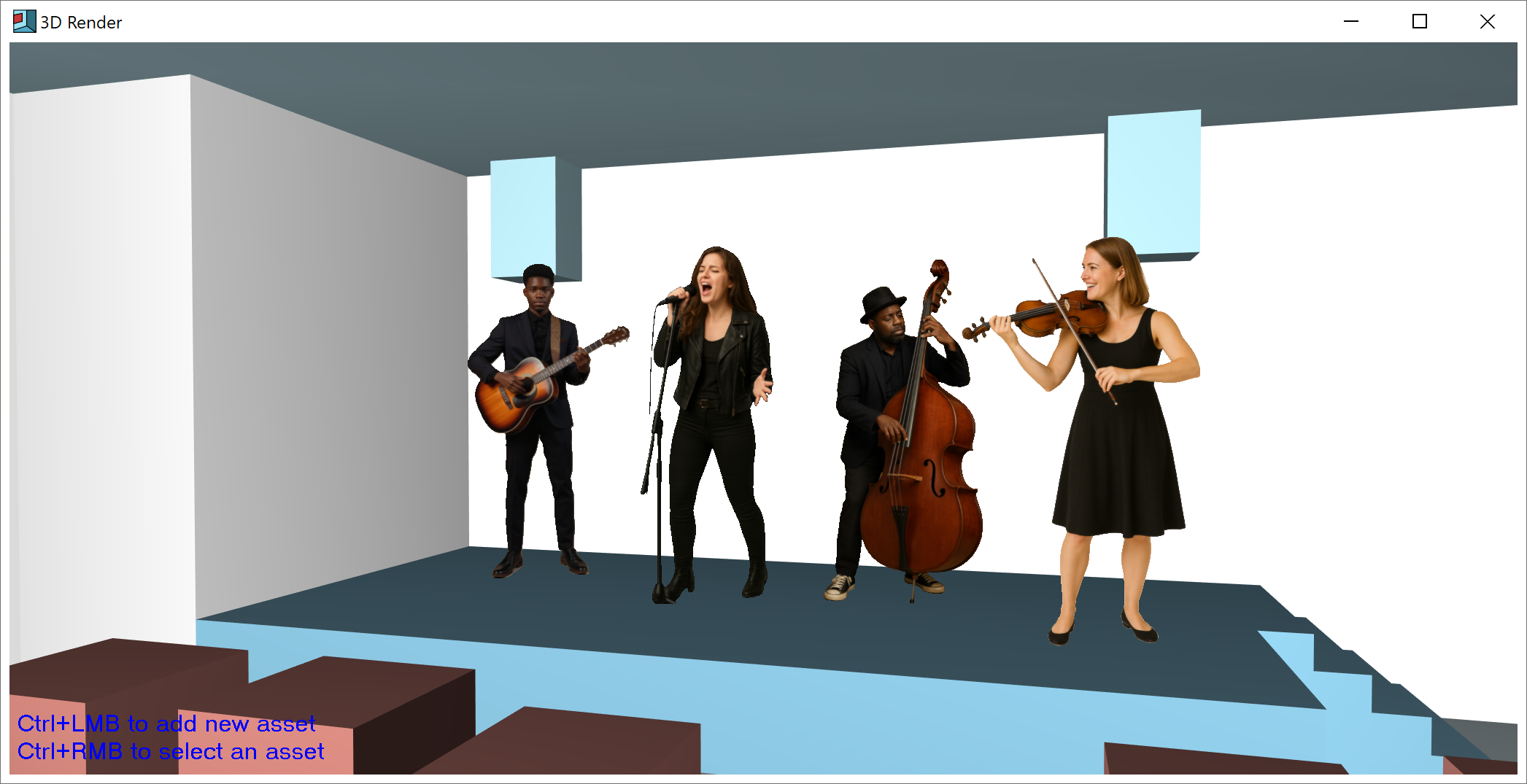
In the standalone 3D Render, you can now insert assets, which are 2D objects you can place in the room for visual purposes. They can also be assigned to sources. ODEON will come with a selection of pre-installed images you can use, and you can also import your own.
Movie auralisation Movie auralisation (A)(C)

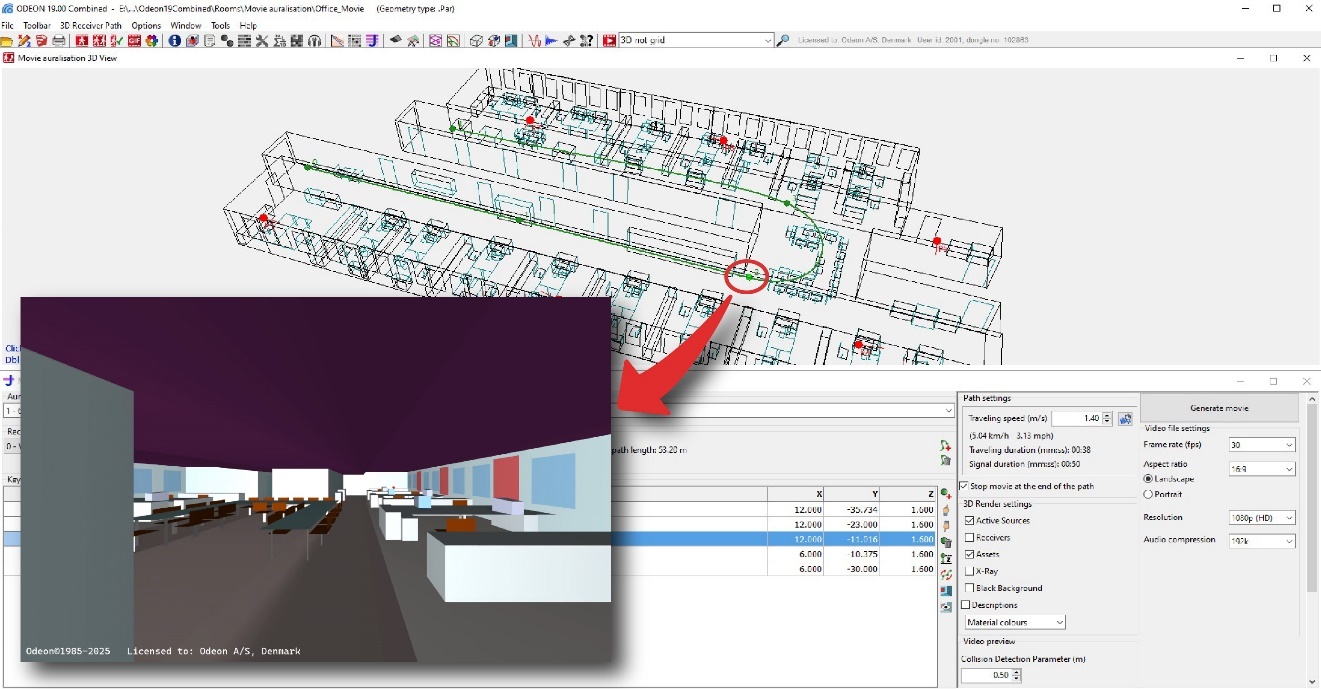
Listen to the acoustics in a predefined walking path inside the room. ODEON computes the auralisation following the path, and exports the experience into an MP4 video file that can be shared to anyone. No VR goggles needed!
Movie auralisation

Absorption coefficients in 1/3 Octave-bands

ODEON can now accept absorption coefficients and carry out calculations in ⅓ octave bands. The final results will still be in full octave bands. However, calculating internally in ⅓ octave bands allows to find behaviours that happen in frequency bands narrower than full octave bands. If you use materials with coefficients in full octave bands, ODEON will internally interpolate for ⅓ octave bands.

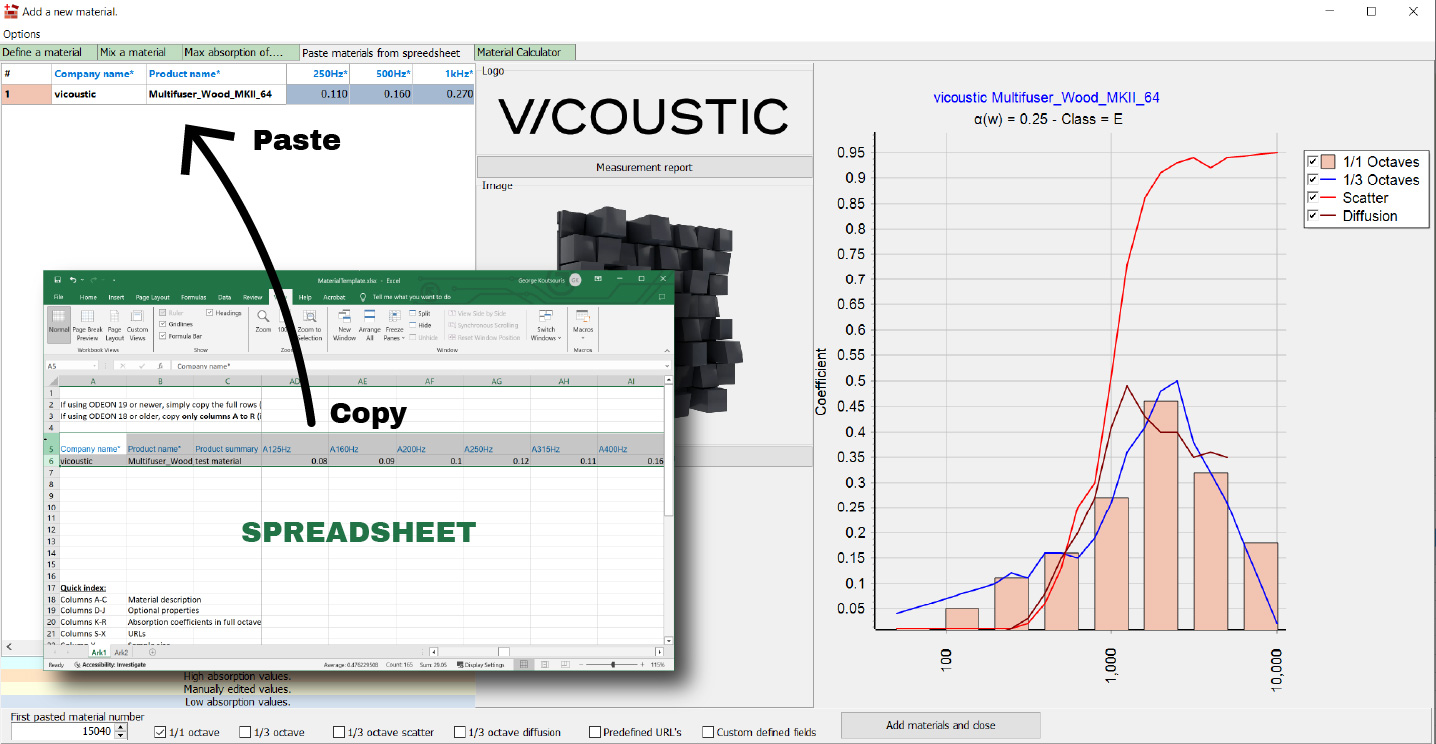
Materials can be easily inserted from a spreadsheet, which is now expanded to import new data, such as 1/3-cotave bands absorption, scattering coefficients (see below) picture and links for the material. When you copy the data into ODEON, you will already be able to see the data in a table format.

Materials Template

Frequency-dependent scattering coefficients

As highly requested by users, you can now enter your own frequency-dependent scattering coefficients for each surface in the Material list. You can freely choose to use your own coefficients, or to use our original definition of scattering, where you enter a single coefficient at middle frequencies, and ODEON extrapolates for the whole frequency range.

Scattering Octave Bands

Information about selected material 

You can now toggle a window showing more information about the selected material. You will be able to see the absorption coefficients in full octave bands, as well as absorption and scattering coefficients in 1/3 octave bands if you provided them. If absorption coefficients in 1/3 octave bands were not provided, ODEON will estimate them by interpolating from the values at full octave bands. If the manufacturer has provided the data, you may also see the company logo, picture of the material, and buttons for documents such as the measurement report.
& Automatically generate jobs

The job list has been equipped with two extra buttons for cloning of jobs with the selected active sources for each individual receiver, or jobs with the selected receiver for each individual source.
New calibration interface

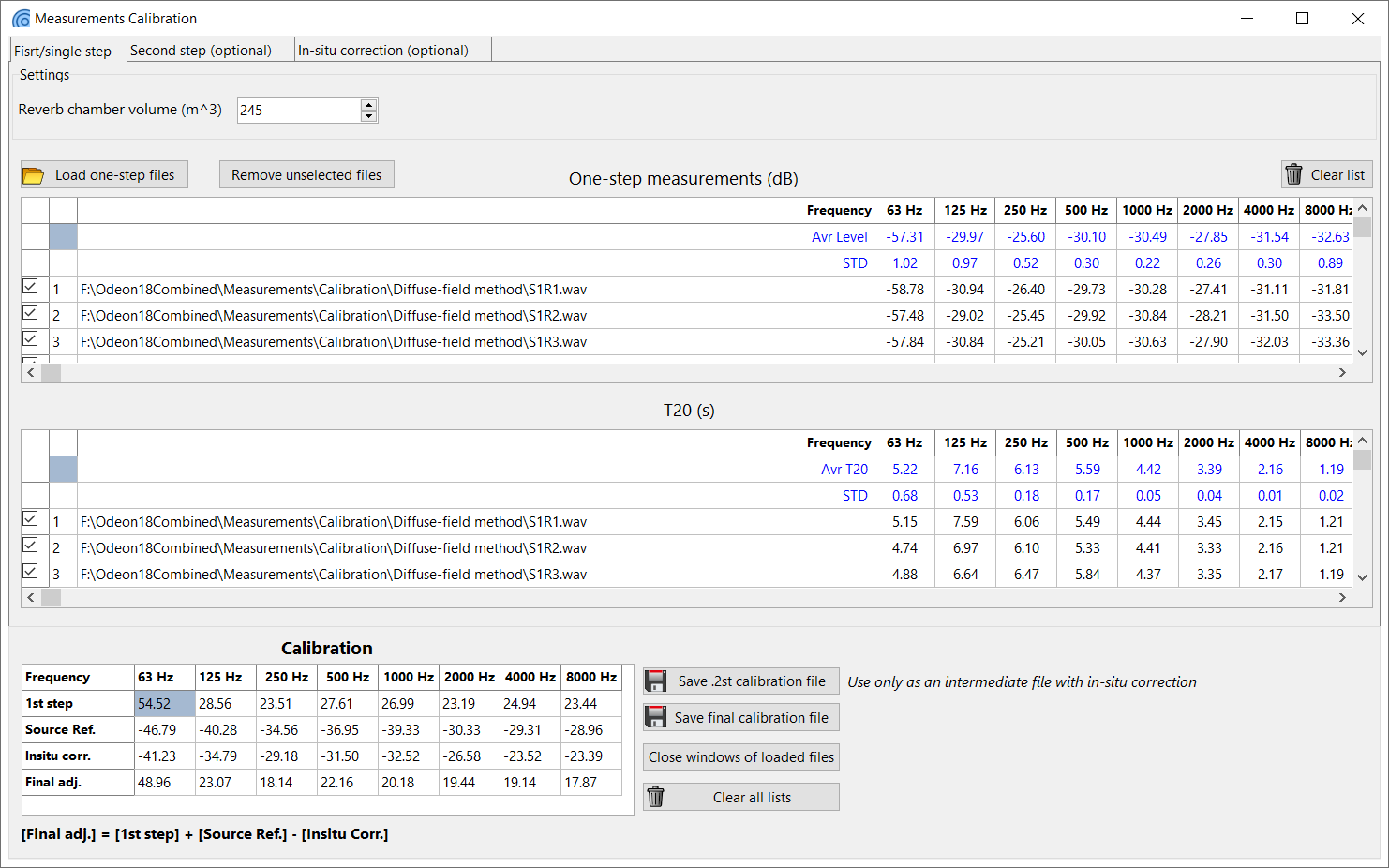
The calibration procedure for G (Sound Strength) and STI (Speech Intelligibility) measurements has been greatly simplified with a new interface. Rather than going through various pop-ups, the full procedure is now done in a single window, where you can add one-step or two-step calibration files in any order, and add extra measurement files at any time. Watch the video tutorial here.

Calibration Interface

Building acoustics module (A)(C)

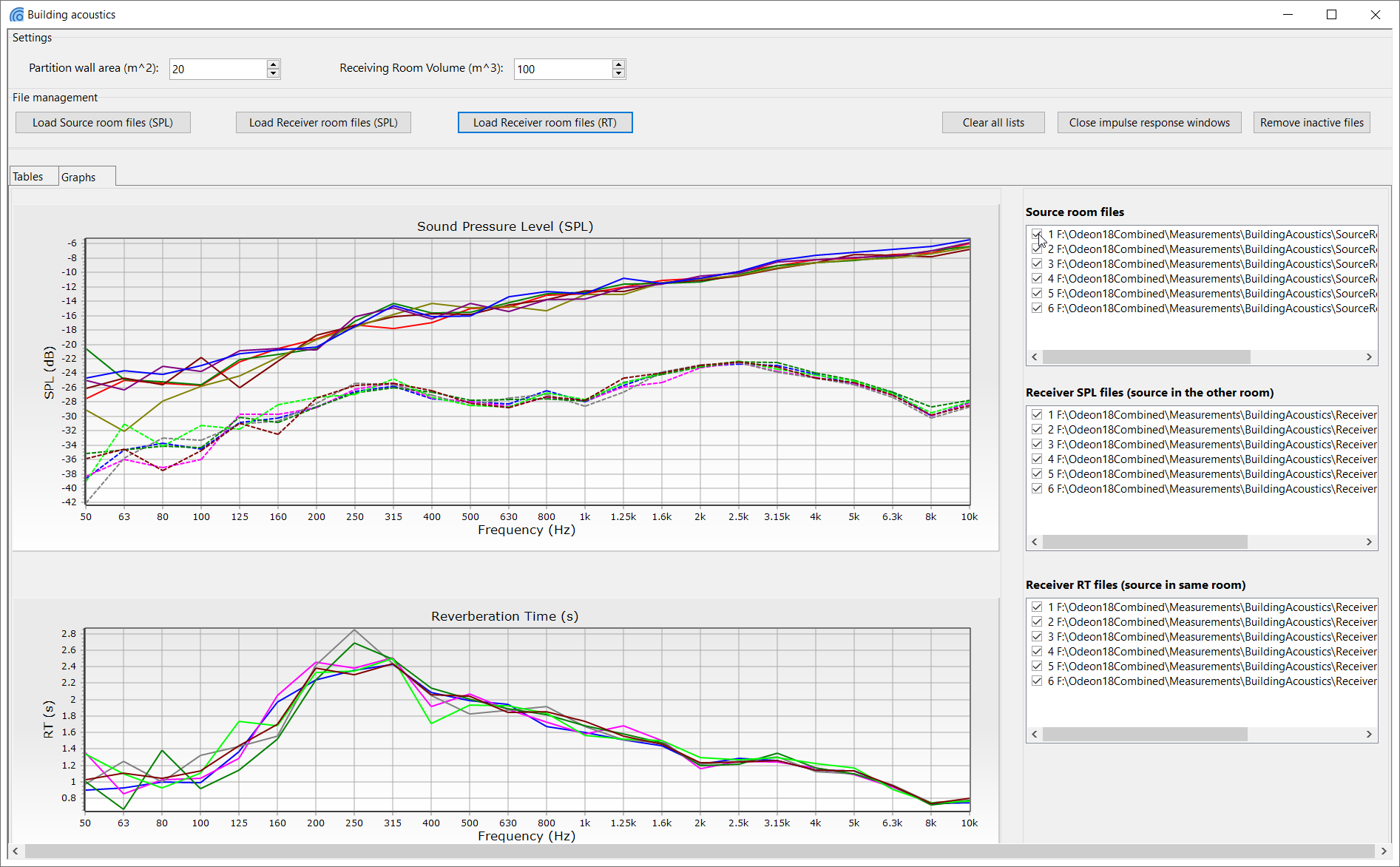
ODEON 19 includes a Building acoustics module which provides the possibility to calculate the sound insulation properties of a partition wall that separates two rooms, out of measurements carried out in both spaces. The new interface has been based on the ISO standard 10140 ‘Laboratory measurement of sound insulation of building elements’, Parts 2 (ISO 10140-2, 2010) and 4 (ISO 10140-4, 2010).

Also notice that the module can derive reverberation times in ⅓ octave bands from your measurements, which you can export.

Reassign Materials Reassign materials by layer

When you modify a CAD model from a software different from SketchUp, and you re-import it into ODEON, this creates a new model, which previously meant having to manually re-assign materials. However, if your CAD model has layers in it, ODEON will now automatically re-assign the corresponding materials to each layer when re-importing.

Open-loop measurements

ODEON can now perform open loop measurements. This means it can generate wave files of sine sweeps, which can be played on an external device, while the resulting recordings can be loaded into ODEON to be processed into impulse responses. This eliminates the requirement to emit the sweep and record it at the same time. 

Enhanced ambisonics auralisation

In previous versions, when you loaded an ambisonic impulse response, you could change the listening direction and play again. However, now you can change the listening direction while the auralisation is playing, which makes it more similar to the 360 auralisation in simulations. The B-format to binaural decoder is also improved, providing a much better out of head experience.

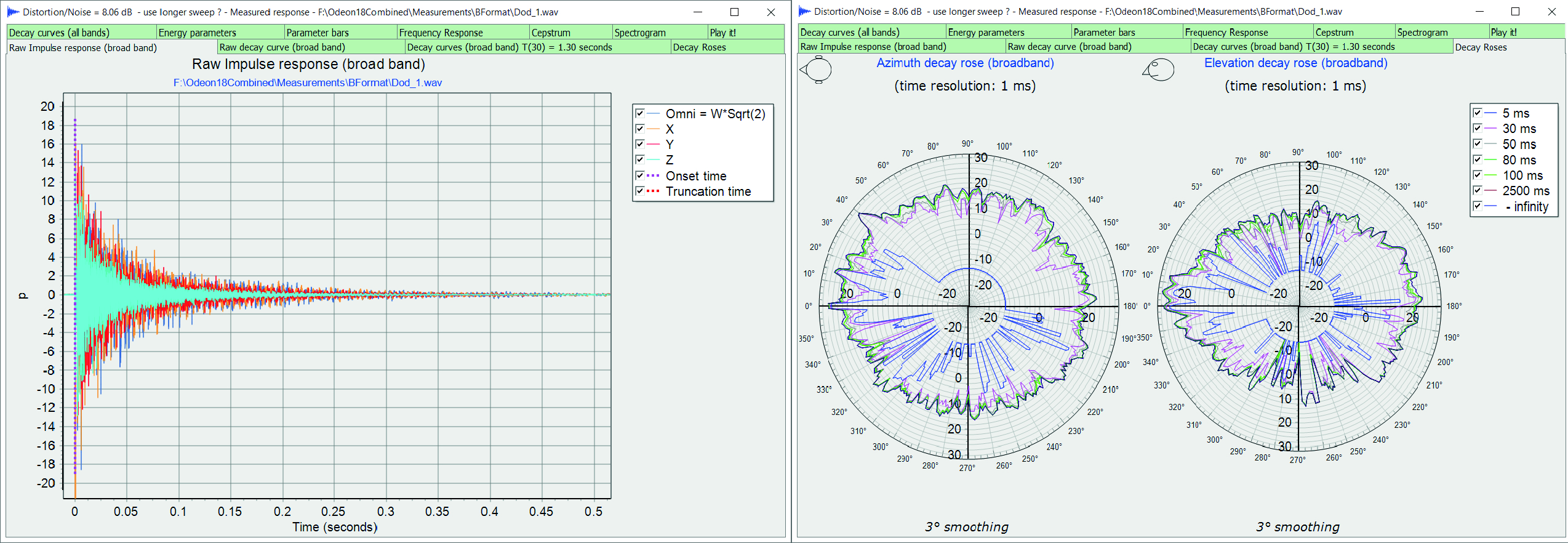
Decay roses for ambisonics measurements

Another improvement is the ability to see the decay roses for ambisonic measurements.

Enhancements in Compare and Average tool

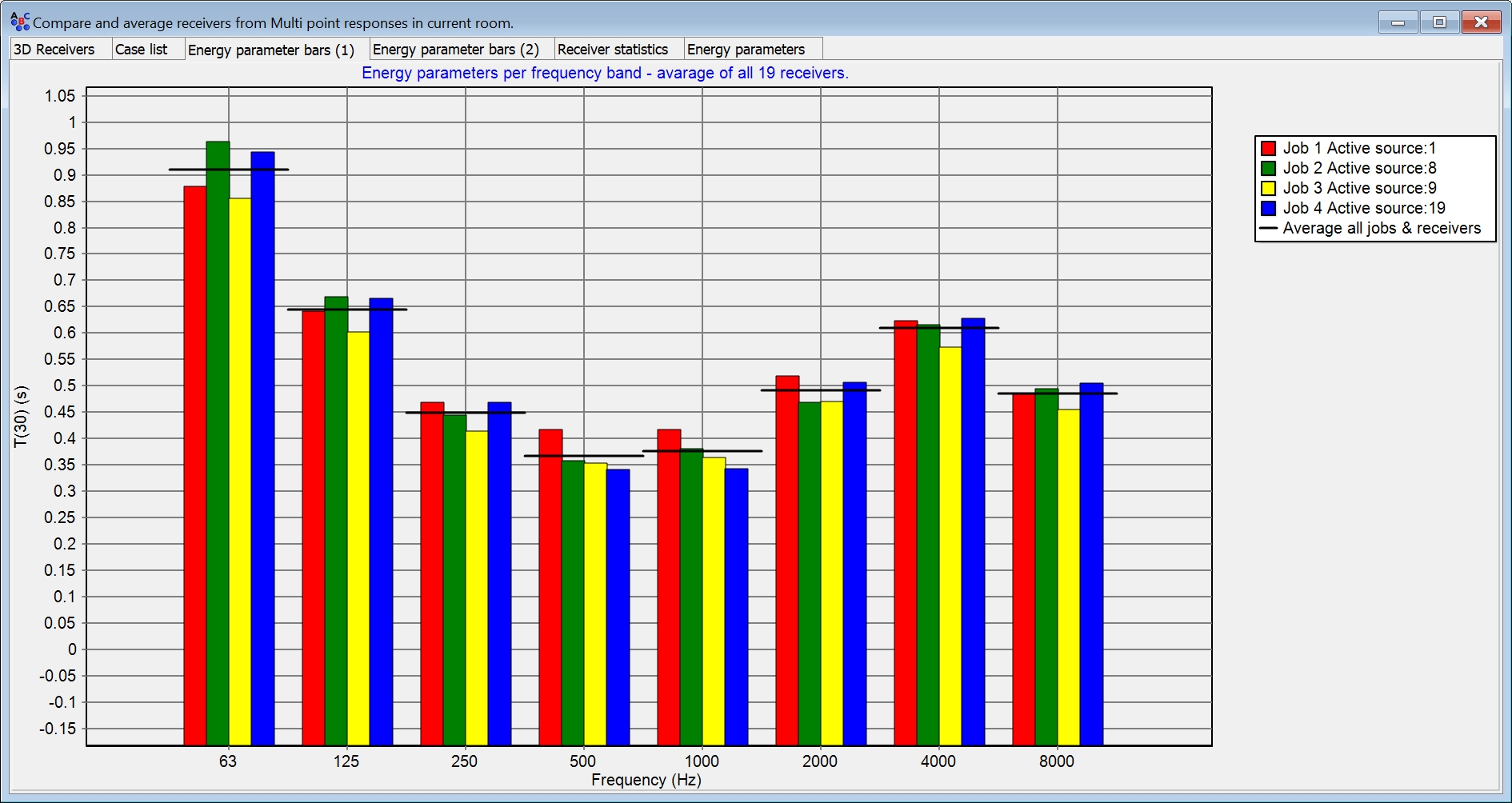
The compare and average tool now has a simulated versus measured and targets tab, just like in the multi-point response.

Alternative EDT parameter

ODEON 19 will now include an alternative EDT parameter. Currently, the standard way to calculate the parameter is with a linear regression. However, the intention of the original inventor of the parameter was that it was calculated without a regression. So, the calculation of EDT without a regression will soon be updated in ISO 3382 part 1. This updated way to calculate EDT will already be in ODEON ready for use. Of course, you will still have access to the currently standard EDT.

Waterhouse effect

The Waterhouse effect is now included in calculations. This is the increase of sound pressure in positions close to walls. Even though receiver positions should be at a certain distance from walls according to the standards, there may be some occasions where this effect is relevant.
